


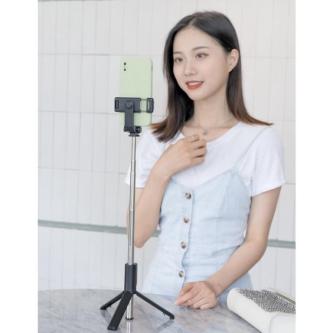

Bluetooth Selfie Stick R1 Selfie Stick, Woodlands
-
 Woodlands
 -
Posted: yesterday
-
 Save
Save -
 Share
Share
Initial length: 27cm
Maximum tensile length: 58cm
How to Use Remote Shutter:
1. Turn On your smartphone's Bluetooth (setting > Bluetooth > Turn On Bluetooth)
2. HOLD THE remote shutter FOR 2 SECONDS UNTIL THE INDICATOR LIGHT IS ON.
3. Pair/connect your smartphone's Bluetooth with a Bluetooth remote with the Bluetooth name "selfie"
4. PRESS THE remote BUTTON TO TAKE A PICTURE/PHOTO
5. Hold the remote shutter for 3 seconds to turn off the remote shutter when it is not in use.
-
 Price$3.19
-
ConditionNew
-
 Flag
Flag -
 Block ad




Bluetooth Selfie Stick R1 Selfie Stick has been posted in the Woodlands Phones, Mobiles & Accessories category on Locanto.
If you’re looking for something similar, check out 5 PCS Flexible Hydrogel Film for Samsung Galaxy Watch 8 …, Woodlands, NERV Flexible 1 5ft Power Extension Cable PVC Insulated …, Woodlands or For Google Pixel 9, New candy colored transparent phone … in Woodlands, also posted in Phones, Mobiles & Accessories. Currently, there are 9544 ads posted in the Phones, Mobiles & Accessories category in Woodlands.
Interested in more? Widen your search to view ads in nearby areas of Woodlands. This includes Phones, Mobiles & Accessories in Simpang, Sembawang and Ang Mo Kio. There are more ads within a 15 km radius for this category. If you want to view those ads, click here.


 Flag this image